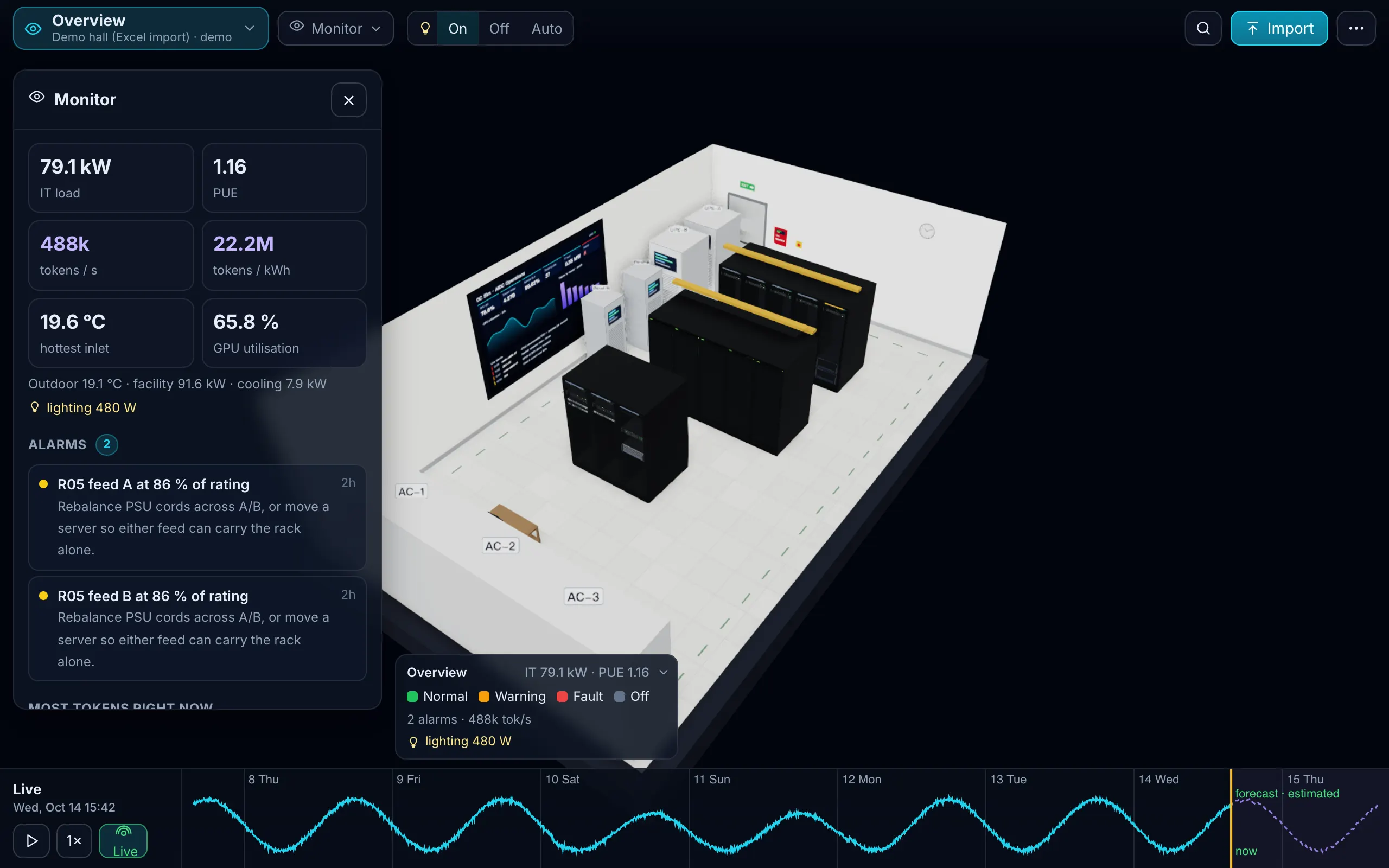
What you get
- Power layer: UPS load, runtime and battery charge on the one-line diagram; PDU and IPMI power on the devices. Click the UPS, press Fail, and see which racks go dark and which services stop.
- Air layer: temperature items become rack-inlet or exhaust readings; the room colours itself, and “minutes to 27, 32 and 35 °C” is estimated when a cooling unit is failed.
- Alarms on the device: open Zabbix problems appear as alarms on the matching device, next to its workloads and tenants.
How to connect
- In Zabbix, create an API token for a read-only user (or use a read-only username and password).
- In DC Sim, open ⋯ → Connect NetBox or Zabbix, choose Zabbix, paste the URL and the token, press Test. Test shows the Zabbix version and how many hosts, items and open problems it can see.
- Preview shows how many hosts match devices in your twin, and the readings and alarms that will be added.
- Import. Each sync adds the latest readings and the open problems.
Inside your own network, the same connector runs in the DC Sim agent, which only dials out.
What we read
| Zabbix | DC Sim | Layer |
|---|---|---|
| hosts and host inventory (location, rack, model, serial) | matched to devices by name | Device |
| power items (PDU, UPS, IPMI) | power_w | Power, Token |
| inlet or ambient temperature items | inlet_c | Air |
| CPU temperature, fan speed, humidity | cpu_temp_c, fan_rpm, humidity_pct | Device, Air |
| UPS runtime, load and battery items | ups_runtime_min, ups_load_pct, ups_battery_pct | Power |
| CPU utilisation, ping | util_pct, up or down | Device, Network |
| open problems | alarms on the matching device | all |
Also possible: a sheet export
No API access? Export recent item values per host and put them in the Readings sheet of the template (time, item, metric, value), with the hosts in the Devices sheet.
Later
| Item | Status |
|---|---|
| Rack positions taken from host inventory automatically | Roadmap |
| Alarms kept across server restarts (today: the last 24 hours, in memory) | Roadmap |
| A Zabbix template for listing where Zabbix users look for integrations | Roadmap |
Nothing inbound
For a Zabbix inside your network, the connector runs in a small agent that dials out over one WebSocket and never listens on a port. If the link drops, batches spool to disk and replay in order. The token stays in the agent’s configuration; DC Sim receives values and problems only.
Which Zabbix versions work?
Zabbix 6.0 and later, with an API token or a read-only username and password. It was tested against Zabbix 6.0.
What credentials does it need?
An API token for a read-only Zabbix user. Inside your own network the token stays in the agent's configuration; it is never shown in the browser.
Does it change anything in Zabbix?
No. It reads hosts, items and problems. Nothing is written to Zabbix.
My item names are different. Will it still work?
The mapping goes by item key and unit, not by name: anything with a temperature, watt, load-percent or runtime unit is recognised. Hosts are matched to devices by name, and the preview tells you how many matched.
One Excel file. Your room in 3D.
Download the import template (v1.3, nine sheets, only Devices required) and the filled example from our demo hall. No form, no email needed, no macros in the files.
Fill in the Devices sheet and send it with your walkthrough request; we import it on the call. What each sheet does